


Pick the path that fits the work: a UI prototype, a design system or a developer handoff. Each path below names the sample file to open first.
Interface design · early alpha · fan-made reference
Design screens, components and prototypes in one native app.
FigCraft is an open-source, clean-room interface design tool written in pure Rust, currently in early alpha, and it is not Figma. You can draw frames, build auto layout, make components with variants, edit vector networks, bind styles and variables, connect prototype screens and hand off to developers with Dev Mode.
Pick a path: UI prototype, design system or developer handoff. Name note: FigCraft here is the ArtCraft interface design app. It is not Figma, not the .fig file format and not the fruit.
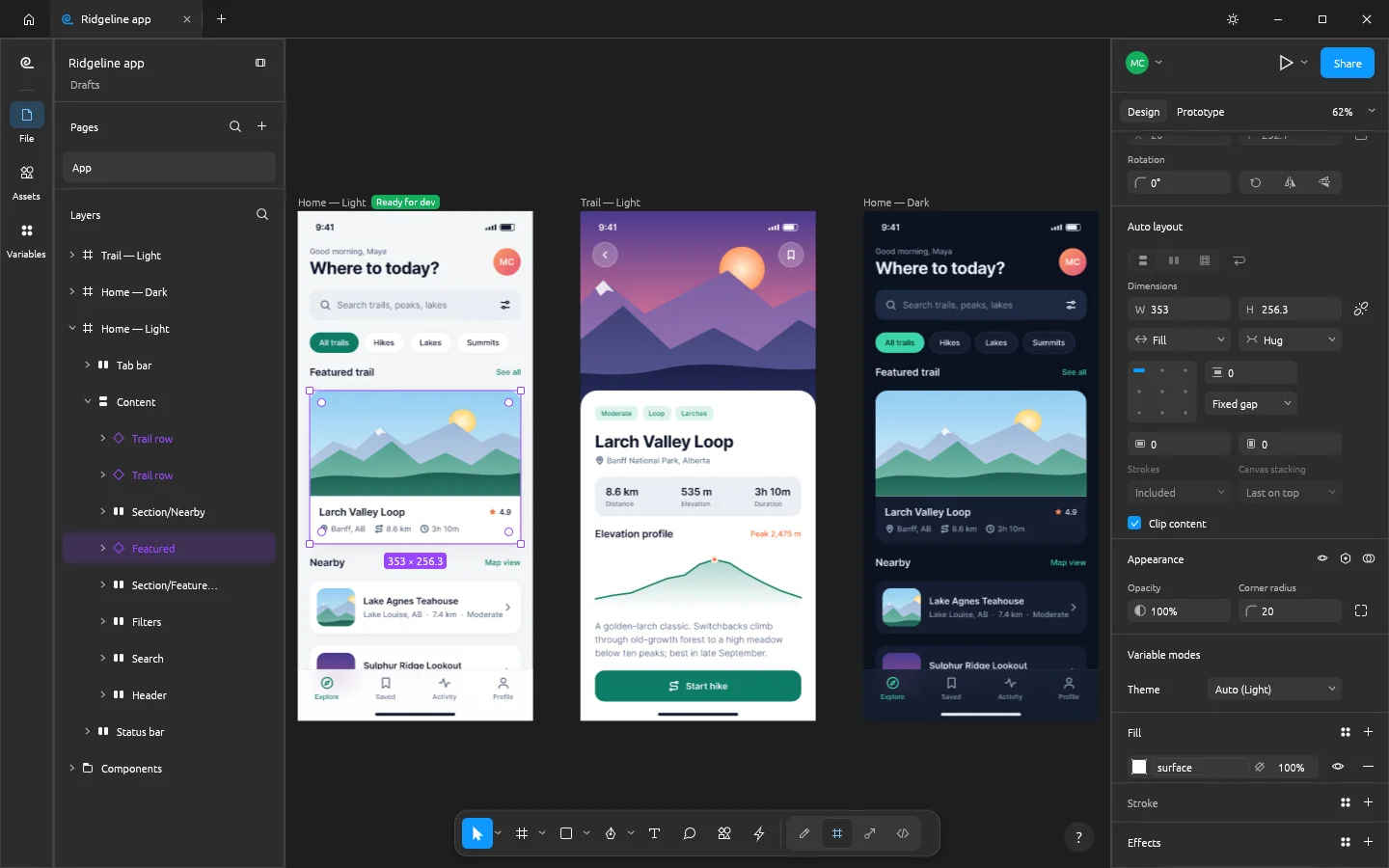
A closer look
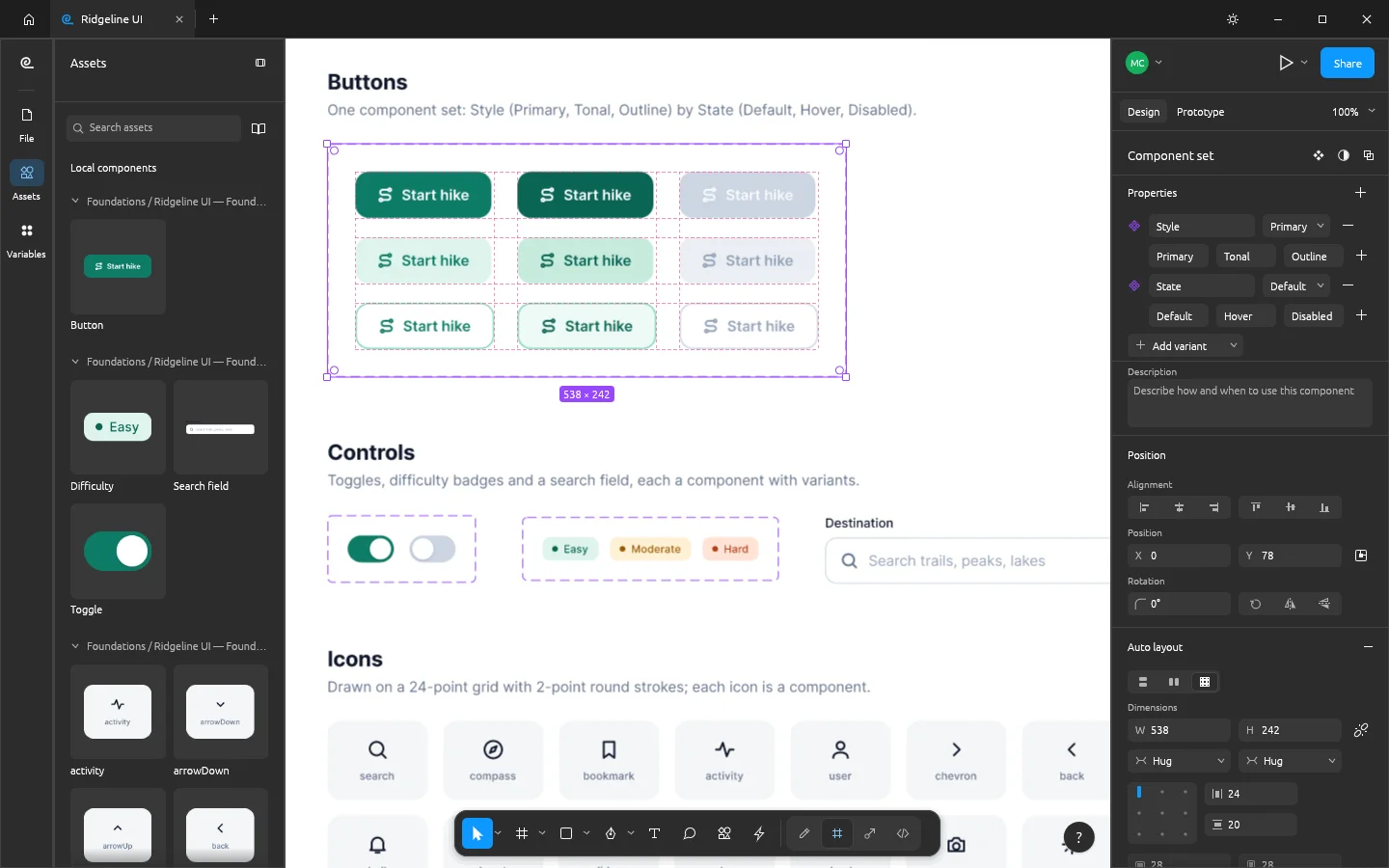
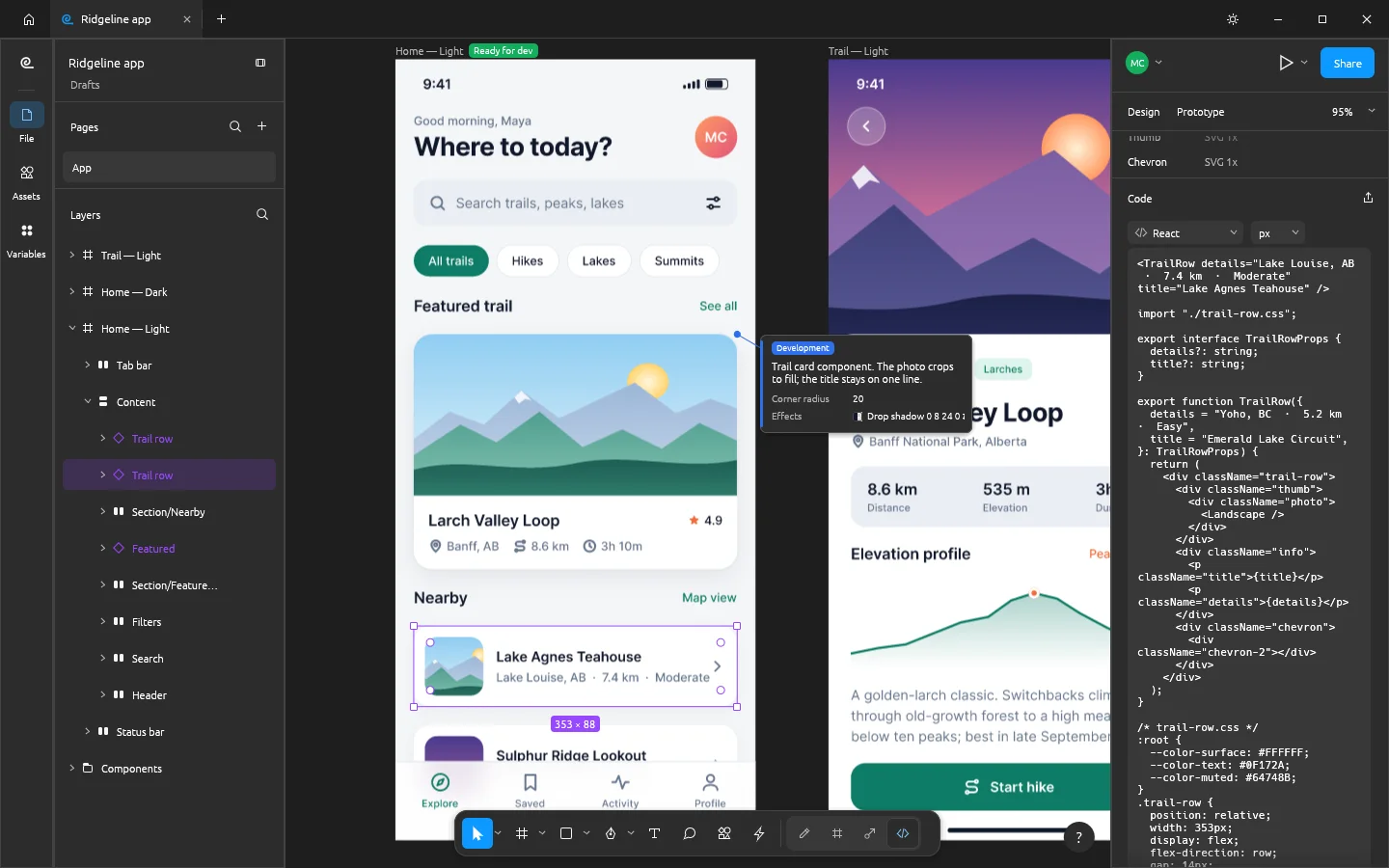
Three screens, read in order.
01 layout
02 components
03 handoff
These screenshots come from the FigCraft repository. They show what the project chose to document. Check the current build before you rely on any of it.
The README says .fig files open best effort and were not checked against real Figma documents. Open one of your own files before you move work over.
FigCraft works offline. Share ▸ Online sends a file to a server, and that server can read it. Read the privacy notes before you share.
Choose a build
release v0.5.1Standalone installers are listed on the official FigCraft page and on the GitHub release. Pick the file that matches your system, then check its checksum before you open it.
macOS
Universal disk image for Apple silicon and Intel
Windows
64-bit installer (MSI)
Linux
x86_64 AppImage for any distribution
Other builds
Flatpak, .deb, .rpm, ARM64, FreeBSD, web build and checksums
The links point to the GitHub release for v0.5.1, the same files listed on getartcraft.com/apps/figcraft. The official page also offers the ArtCraft Launcher, which installs FigCraft and keeps it updated. This guide did not install any of these builds.
What to verify before you install
practical checklist1. Match the build to your system. The release also lists ARM64, 32-bit Windows, portable and FreeBSD builds.
2. Compare the checksum. Download SHA256SUMS.txt from the same release and compare it with your file's SHA-256 hash.
3. Read the v0.5.1 release notes. They list the current limits. The README status section is the project's own estimate and can change.
4. Back up your files. Keep a copy of any .fig file or important document before you try a new workflow with it.
Privacy and online sharing
what sharing sends whereFigCraft works offline by default. The project's README sets out what happens when you share a file, and the README is the authority here. The points below follow its wording.
- Offline by default. FigCraft has no account and no telemetry. It contacts no server until you share or join a file.
- Share ▸ Online uploads the file. The default server is collab.craftapps.dev. You can set another server, or your own, in Preferences.
- The file stays on the server. It remains there until you remove it (Share ▸ Advanced ▸ Remove from server) or until nobody has opened it for 30 days, when a public server deletes it.
- It is not end-to-end encrypted. The connection uses TLS, but the server stores the file unencrypted, and whoever runs the server can read it.
- The code or link is the access. There are no accounts. Anyone with an edit code or link can change the file, and anyone with a view code or link can open it. Stopping a share revokes them.
- Local network sharing skips the server. It is not encrypted either, so use it only on networks you trust.
- No guarantees on the public server. It comes without backups or uptime promises. Keep your own copy of anything you share.
For confidential work, the README suggests running your own server (figcraft-server is a preview, with Linux builds in each release) or keeping the file on a network you trust. Both options still need your own checks.
Choose by task
three pathsThe repository ships Ridgeline sample files. Each path starts from one of them, and each step names what to check. The file names come from the README.
UI prototype
For flows and screen navigation. Use it when the question is whether a path through the app works.
- Open examples/ridgeline-onboarding.figcraft and switch to the Prototype tab.
- Select the Get started button and read its On click interaction in the Prototype panel.
- Follow the connections between the four onboarding screens.
- Open the presentation view and click through the flow once before you build more screens.
Design system
For components, variants and shared colours. Use it when several screens must draw on one set of values.
- Open examples/ridgeline-design-system.figcraft and look at the Button component set, with its Style and State variant properties.
- Switch the Theme variable mode and check that colour changes come from variables, not hand edits.
- Drag a component from the Assets panel into a frame, then edit the main component and confirm the overrides hold.
Developer handoff
For specs and generated code. Treat the output as a starting point, not as finished production code.
- Open examples/ridgeline-app.figcraft and switch to Dev Mode.
- Check the Ready for dev status and the annotations on the frame.
- Read the generated code for one component. The README lists CSS, HTML, React, Leptos, SwiftUI and Compose.
- After an edit, use Compare changes before you copy code into a codebase you have reviewed.
Which fig this guide means
name disambiguationThis guide covers FigCraft, the open-source interface design app from the ArtCraft team. It does not cover Figma, the separate product made by Figma, Inc. It also does not cover the .fig file format on its own, and it is not about the fruit. Searching for FigCraft usually means one of three questions: whether it is an open-source way to design interfaces, whether it can open existing files, and whether it produces code. The sections on this page answer each one from the project's own sources.
About FigCraft
Primary source ↗FigCraft is one of the Crafting Apps from the ArtCraft team. The official page lists it as interface design in early alpha and describes it as free and open source, available on macOS, Windows, Linux and the web. The README adds FreeBSD and gives the licence as MIT or Apache-2.0, at your option.
- Feature areas: frames, auto layout, components and variants, vector networks, styles and variables with light and dark modes, prototypes, and Dev Mode.
- Commands: every menu item, tool and gesture runs one of 400+ commands. The same commands run from the UI, figcraft-cli, a JSON control channel and an MCP server.
- Files: a native .figcraft archive. SVG, PNG, JPG, WebP and PDF can be imported and exported. .fig files open best effort.
- Source: the repository is public at github.com/storytold/figcraft, with the README, docs and examples folder.
Status and limits
early alphaFigCraft is in early alpha. The README says it is "about 49% of the way to replacing Figma for real work, by our own estimate." That figure is the project's self-assessment. It is not an independent measurement, and this guide does not present it as a fact about your work.
- The README says nearly all of Figma's main menu is wired and the core editor works end to end.
- .fig files open best effort, and the project has not been checked against real Figma documents.
- Multiplayer is a first preview. Live sessions have per-person undo and share links, but there are no accounts, teams or cloud yet.
- Plugins are FigCraft's own WebAssembly plugins, not Figma's plugins.
- The README asks for issues and reports on Discord. Expect rough edges.
How this guide was made
editorial methodPrimary sources
Descriptions come from the official FigCraft page, the repository README, the v0.5.1 release page and its checksum file. Those sources decide the current release, licence and support.
Independent editors
This guide is written by the FigCraft Fan Guide editors, an independent fan-made group. It is not an official ArtCraft, storytold or FigCraft publication, and it does not speak for the project team.
What was not done
The editors did not install any build, open any .fig file or run a sharing test. The screenshots come from the repository's docs folder. Sources checked 2026-10-16, for FigCraft v0.5.1.
Before you rely on it
a short testTry your own file first. Open a copy of a file you use, then check the parts that usually need care when a design moves between tools: text and fonts, component overrides and prototype links. The primary sources remain the authority on what the current release does.
Editorial boundary: this site does not host downloads, does not take payments and does not claim endorsement. Download links go to GitHub release pages. The site uses an Umami analytics script for aggregate page-view counts.
Questions readers ask
What is FigCraft?
FigCraft is an open-source, clean-room interface design tool written in pure Rust, currently in early alpha, and it is not Figma. It belongs to the Crafting Apps family from the ArtCraft team.
Is FigCraft made by Figma?
No. The FigCraft repository says the project is not affiliated with, sponsored by or endorsed by Figma, Inc. The README describes it as an open-source, clean-room reimplementation of Figma. Its clean-room note says it is built from public documentation and observed behaviour, not from Figma's code.
Does FigCraft send my files to a server?
Not unless you ask it to. FigCraft works offline, with no account and no telemetry. A file goes to a server only when you use Share ▸ Online, or join a live session. The default public server stores files without end-to-end encryption, so use your own server or a network you trust for confidential work.
Can FigCraft open Figma .fig files?
Only on a best-effort basis. The README says .fig files open best effort and that the project has not been checked against real Figma documents. Test one of your own files before you move work into FigCraft.
How complete is FigCraft?
It is in early alpha. The README gives an estimate of about 49% of the way to replacing Figma for real work. The project calls this its own estimate, not a measurement.
Where should I check the current version?
Use the official FigCraft page at getartcraft.com/apps/figcraft, the GitHub repository and the v0.5.1 release notes. This guide reflects those sources as checked on 2026-10-16.
Is this site official?
No. This is an independent, fan-made reference. It is not affiliated with or endorsed by ArtCraft, storytold or Figma, Inc. It summarises the official pages and repository and is not an official source.